


Clone, run, and explore this sample
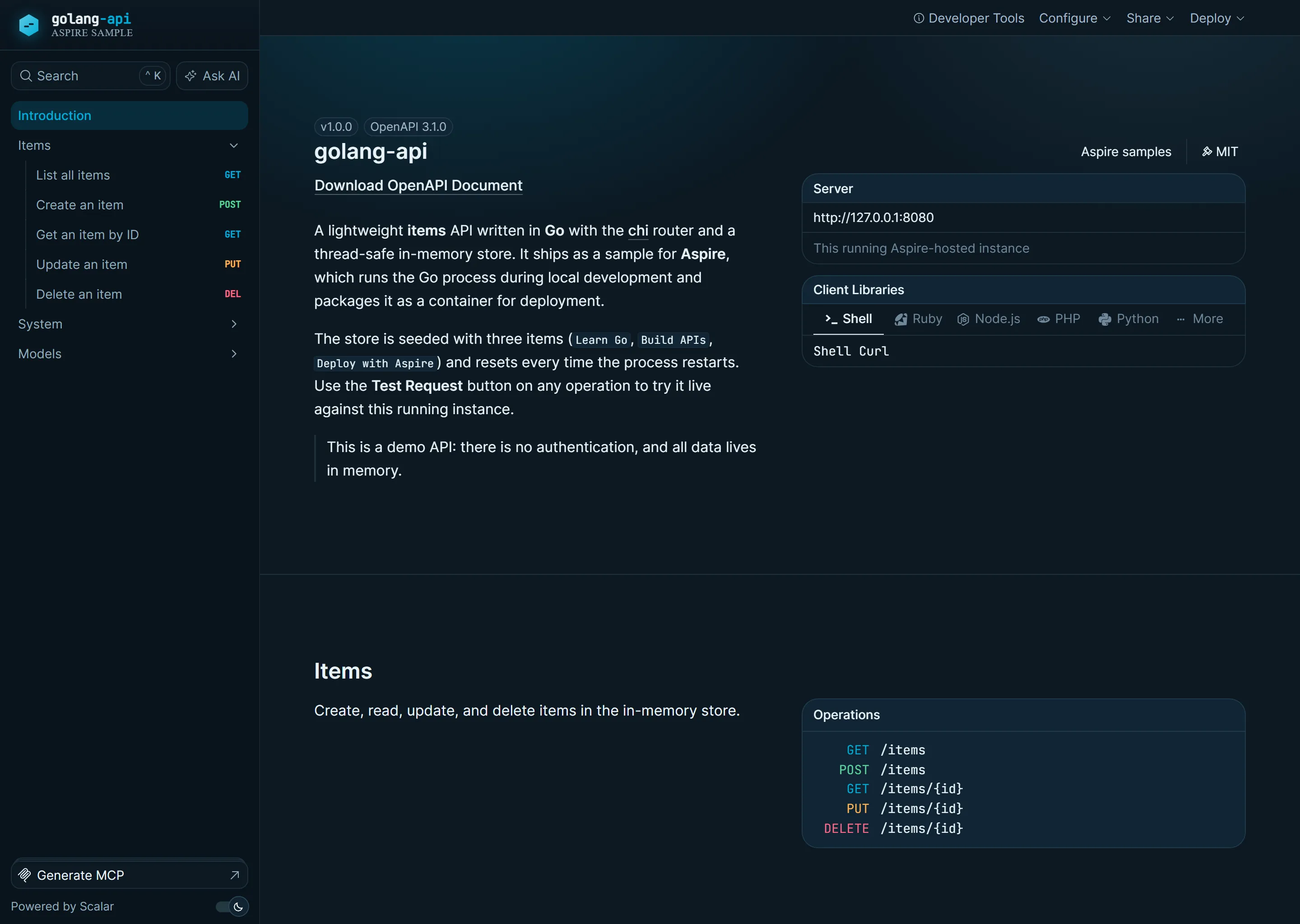
REST API built with Go and chi router, using in-memory storage with thread-safe operations. Opening the running app in a browser lands on a themed Scalar API reference—a polished, Go-cyan developer portal generated from the service's OpenAPI 3.1 document—while API clients keep receiving JSON.
The entry point that composes every resource and dependency in this sample's distributed application.
import { createBuilder } from "./.aspire/modules/aspire.mjs";
const builder = await createBuilder();const executionContext = await builder.executionContext();
await builder.addDockerComposeEnvironment("env")    .configureDashboard(async (dashboard) =>    {        await dashboard.withHostPort({ port: 9003 });    });
if (await executionContext.isPublishMode()){    await builder.addDockerfile("api", "./api")        .withHttpEndpoint({ env: "PORT" })        .withHttpHealthCheck({ path: "/health" })        .withExternalHttpEndpoints();}else{    const api = await builder.addExecutable("api", "go", "./api", ["run", "main.go"])        .withHttpEndpoint({ env: "PORT" })        .withHttpHealthCheck({ path: "/health" })        .withExternalHttpEndpoints();
    const goModInstaller = await builder.addExecutable("api-go-mod-installer", "go", "./api", ["mod", "tidy"])        .withParentRelationship(api);
    await api.waitForCompletion(goModInstaller);}
await builder.build().run();
REST API built with Go and chi router, using in-memory storage with thread-safe operations. Opening the running app in a browser lands on a themed Scalar API reference—a polished, Go-cyan developer portal generated from the service's OpenAPI 3.1 document—while API clients keep receiving JSON.
This sample demonstrates a TypeScript AppHost that runs the Go API directly during local development and switches to a checked-in Dockerfile for Docker Compose publishing.
Architecture
Section titled Architectureflowchart LR
Browser --> API[Go API<br/>chi router]
API --> Store[In-Memory Store<br/>sync.RWMutex]What this demonstrates
Section titled What this demonstratesaddExecutable: Runs
go mod tidyandgo run main.goduring local developmentaddDockerfile: Builds a production container image from
api/DockerfilewithHttpEndpoint: HTTP endpoint with PORT environment variable
withHttpHealthCheck: Health check endpoint at
/healthIn-Memory Storage: Thread-safe CRUD operations with sync.RWMutex
Chi Router: Lightweight, idiomatic HTTP router for Go
Scalar API Reference: A themed, interactive OpenAPI 3.1 reference served straight from the Go binary
Running
Section titled Runningaspire runCommands
Section titled Commandsaspire run # Run locallyaspire deploy # Deploy to Docker Composeaspire do docker-compose-down-dc # Teardown deploymentKey aspire patterns
Section titled Key aspire patternsGo Application - Run with go locally, publish with a Dockerfile:
const executionContext = await builder.executionContext.get();
if (await executionContext.isPublishMode.get()){    await builder.addDockerfile("api", "./api")        .withHttpEndpoint({ env: "PORT" })        .withHttpHealthCheck({ path: "/health" })        .withExternalHttpEndpoints();}else{    const api = await builder.addExecutable("api", "go", "./api", ["run", "main.go"])        .withHttpEndpoint({ env: "PORT" })        .withHttpHealthCheck({ path: "/health" })        .withExternalHttpEndpoints();
    const goModInstaller = await builder.addExecutable("api-go-mod-installer", "go", "./api", ["mod", "tidy"])        .withParentRelationship(api);
    await api.waitForCompletion(goModInstaller);}
Environment Variables - Aspire injects PORT for HTTP endpoint configuration
API endpoints
Section titled API endpointsGET /- Themed Scalar API reference in a browser, or JSON service information for non-browser clients (chosen viaAccept-header content negotiation, so existing JSON consumers are unaffected)GET /reference- Themed Scalar API reference (always HTML)GET /openapi.json- OpenAPI 3.1 document describing the APIGET /health- Health checkGET /items- List all itemsGET /items/{id}- Get item by IDPOST /items- Create new itemPUT /items/{id}- Update itemDELETE /items/{id}- Delete item
API reference
Section titled API referenceThe Go binary embeds an OpenAPI 3.1 document (api/openapi.json) and a custom-themed Scalar reference page (api/reference.html) using //go:embed, so no extra services or build steps are required. The reference uses a distinct Go visual identity—Gopher cyan (#00ADD8) accents on a deep slate canvas—and lets you call the live API straight from the page with the Test Request button.
Because GET / historically returned JSON, the root is content negotiated: browsers (which send Accept: text/html) land on the reference, while curl, fetch, and SDK clients keep receiving the original JSON payload. The reference is also always available at /reference.
Security notes
Section titled Security notesThis sample keeps the API intentionally small for demo purposes:
It does not implement authentication or authorization.
Data is stored only in memory and is lost when the process restarts.
The request body, item name, and in-memory item count limits are illustrative safeguards, not production capacity planning.
External HTTP endpoints are enabled to make the demo easy to run and inspect.
Production services should add real authentication, authorization, rate limiting, persistent storage, and monitoring appropriate for their threat model.
Related references:
Sample screenshots
Select the image to zoom in.
 Aspire