


Clone, run, and explore this sample
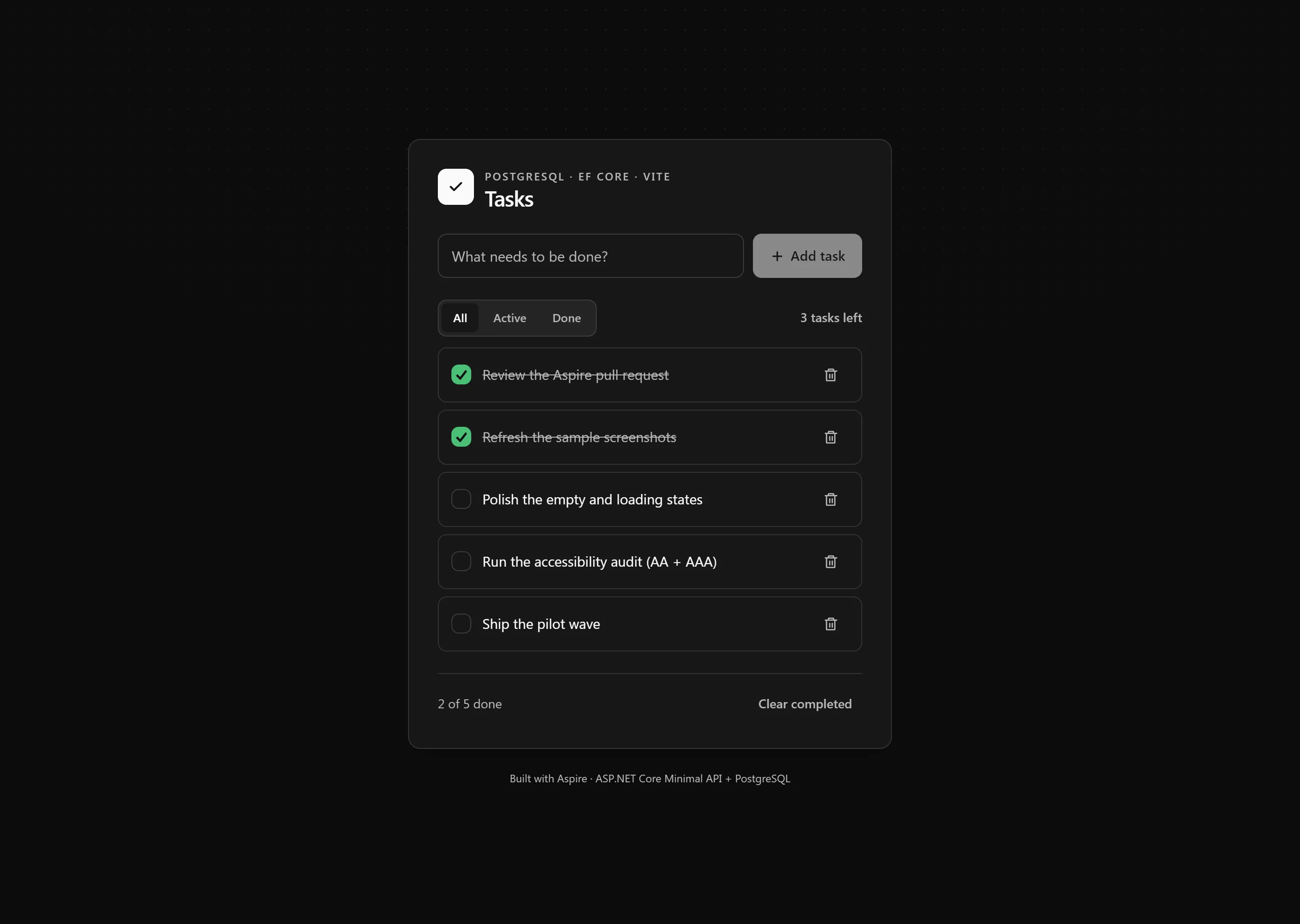
Todo app with C# Minimal APIs, Entity Framework Core, PostgreSQL, and React TypeScript frontend.
The entry point that composes every resource and dependency in this sample's distributed application.
import { ContainerLifetime, UrlDisplayLocation, createBuilder } from "./.aspire/modules/aspire.mjs";
const builder = await createBuilder();
await builder.addDockerComposeEnvironment("dc");
const postgres = await builder.addPostgres("postgres")    .withDataVolume()    .withLifetime(ContainerLifetime.Persistent)    .withPgAdmin({        configureContainer: async (pgAdmin) =>        {            await pgAdmin.withLifetime(ContainerLifetime.Persistent);        }    });
const db = await postgres.addDatabase("db");
const api = await builder.addCSharpApp("api", "./api")    .withHttpHealthCheck({ path: "/health" })    .withExternalHttpEndpoints()    .waitFor(db)    .withReference(db)    .withUrlForEndpoint("http", async (url) =>    {        url.displayLocation = UrlDisplayLocation.DetailsOnly;    })    .withUrlForEndpoint("https", async (url) =>    {        url.displayLocation = UrlDisplayLocation.DetailsOnly;    })    .withUrls(async (ctx) =>    {        const endpoint = ctx.getEndpoint("https");        const urls = await ctx.urls();        await urls.addForEndpoint(endpoint, `${await endpoint.url()}/scalar`, { displayText: "API Reference" });    })    .publishAsDockerComposeService(async (_, service) =>    {        await service.restart.set("always");    });
const frontend = await builder.addViteApp("frontend", "./frontend")    .withReference(api)    .withUrl("", { displayText: "Todo UI" });
await api.publishWithContainerFiles(frontend, "wwwroot");
await builder.build().run();
Todo app with C# Minimal APIs, Entity Framework Core, PostgreSQL, and React TypeScript frontend.
Architecture
Section titled ArchitectureRun Mode:
flowchart LR
    Browser --> Vite[Vite Dev Server<br/>HMR enabled]
    Vite -->|Proxy /api| API[Minimal API]
    API --> PostgreSQL
Publish Mode:
flowchart LR
    Browser --> API[Minimal API serving<br/>Vite build output<br/>'npm run build']
    API --> PostgreSQL
What this demonstrates
Section titled What this demonstratesaddCSharpApp: ASP.NET Core Minimal API with EF Core
addViteApp: React + TypeScript frontend with Vite
addPostgres: PostgreSQL database with pgAdmin
publishWithContainerFiles: Frontend embedded in API's wwwroot for publish mode
AddNpgsqlDbContext: Automatic PostgreSQL connection injection
withUrlForEndpointFactory: Custom dashboard links (Scalar API docs, Todo UI)
waitFor: Ensures PostgreSQL starts before API
Running
Section titled Runningaspire runSecurity notes
Section titled Security notesThis sample is intentionally small and demo-focused. The todo CRUD endpoints under /api/todos are public and unauthenticated, and the app does not add authentication, authorization, CSRF protection, or rate limiting. GET /api/todos applies bounded pagination with offset and limit query parameters, defaulting to 50 items and capping responses at 100 items.
The PostgreSQL pgAdmin container is included as local demo tooling. Do not expose pgAdmin or these unauthenticated CRUD endpoints directly in production.
For production deployments, review the ASP.NET Core security overview, add appropriate authentication and authorization, keep request validation in place using ASP.NET Core minimal API parameter validation, add rate limiting, use antiforgery APIs when browser clients rely on cookies, and evaluate the OWASP API Security Top 10.
Commands
Section titled Commandsaspire run # Run locallyaspire deploy # Deploy to Docker Composeaspire do docker-compose-down-dc # Teardown deploymentKey aspire patterns
Section titled Key aspire patternsContainer Files Publishing - Frontend embedded in API's wwwroot:
const postgres = await builder.addPostgres("postgres")    .withDataVolume()    .withLifetime(ContainerLifetime.Persistent)    .withPgAdmin({        configureContainer: async (pgAdmin) =>        {            await pgAdmin.withLifetime(ContainerLifetime.Persistent);        }    });
const db = await postgres.addDatabase("db");
const api = await builder.addCSharpApp("api", "./api")    .withHttpHealthCheck({ path: "/health" })    .withExternalHttpEndpoints()    .waitFor(db)    .withReference(db)    .withUrlForEndpointFactory("https", async (endpoint) => ({        url: `${await endpoint.url.get()}/scalar`,        displayText: "API Reference"    }));
const frontend = await builder.addViteApp("frontend", "./frontend")    .withReference(api)    .withUrl("", { displayText: "Todo UI" });
await api.publishWithContainerFiles(frontend, "wwwroot");
EF Core Integration - Automatic connection string injection:
builder.AddNpgsqlDbContext<TodoDbContext>("db");Static File Serving - API serves embedded frontend in publish mode:
app.UseFileServer(); // Serves wwwroot/index.html and assetsSample screenshots
Select the image to zoom in.
 Aspire