


Clone, run, and explore this sample
This sample demonstrates using the Aspire JavaScript hosting integration to configure and run client-side applications.
The entry point that composes every resource and dependency in this sample's distributed application.
var builder = DistributedApplication.CreateBuilder(args);
var weatherApi = builder.AddProject<Projects.AspireJavaScript_MinimalApi>("weatherapi")    .WithExternalHttpEndpoints();
builder.AddJavaScriptApp("angular", "../AspireJavaScript.Angular", runScriptName: "start")    .WithNpm(installCommand: "ci")    .WithReference(weatherApi)    .WaitFor(weatherApi)    .WithHttpEndpoint(env: "PORT")    .WithExternalHttpEndpoints()    .PublishAsDockerFile();
builder.AddJavaScriptApp("react", "../AspireJavaScript.React", runScriptName: "start")    .WithNpm(installCommand: "ci")    .WithReference(weatherApi)    .WaitFor(weatherApi)    .WithEnvironment("BROWSER", "none") // Disable opening browser on npm start    .WithHttpEndpoint(env: "PORT")    .WithExternalHttpEndpoints()    .PublishAsDockerFile();
builder.AddJavaScriptApp("vue", "../AspireJavaScript.Vue")    .WithRunScript("start")    .WithNpm(installCommand: "ci")    .WithReference(weatherApi)    .WaitFor(weatherApi)    .WithHttpEndpoint(env: "PORT")    .WithExternalHttpEndpoints()    .PublishAsDockerFile();
var reactVite = builder.AddViteApp("reactvite", "../AspireJavaScript.Vite")    .WithNpm(installCommand: "ci")    .WithReference(weatherApi)    .WithEnvironment("BROWSER", "none");
// Bundle the output of the Vite app into the wwwroot of the weather APIweatherApi.PublishWithContainerFiles(reactVite, "./wwwroot");
builder.Build().Run();
The app consists of five services:
AspireJavaScript.MinimalApi: This is an HTTP API that returns randomly generated weather forecast data.
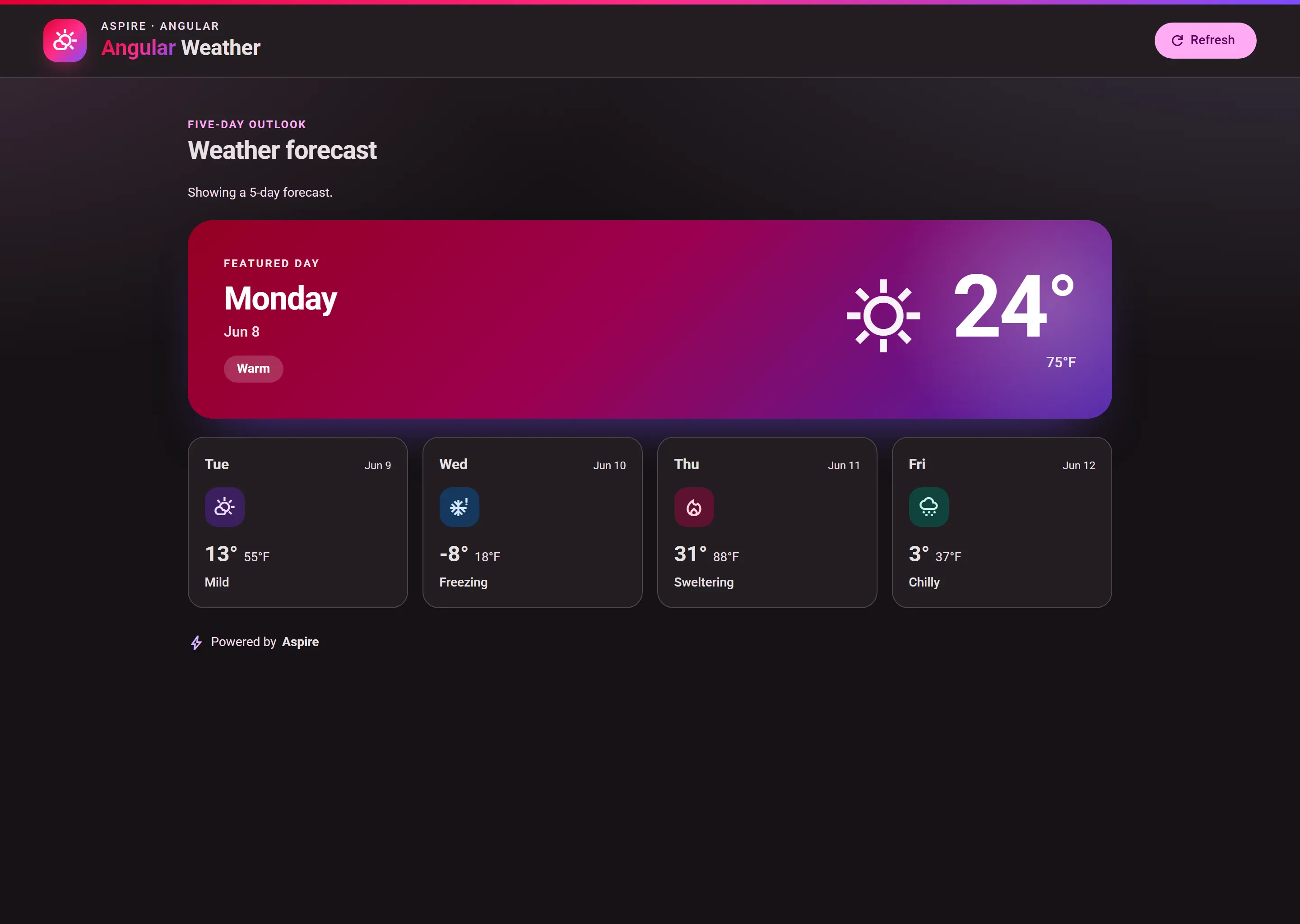
AspireJavaScript.Angular: An Angular app that consumes the weather forecast API and displays it with a featured-day hero and supporting day cards.
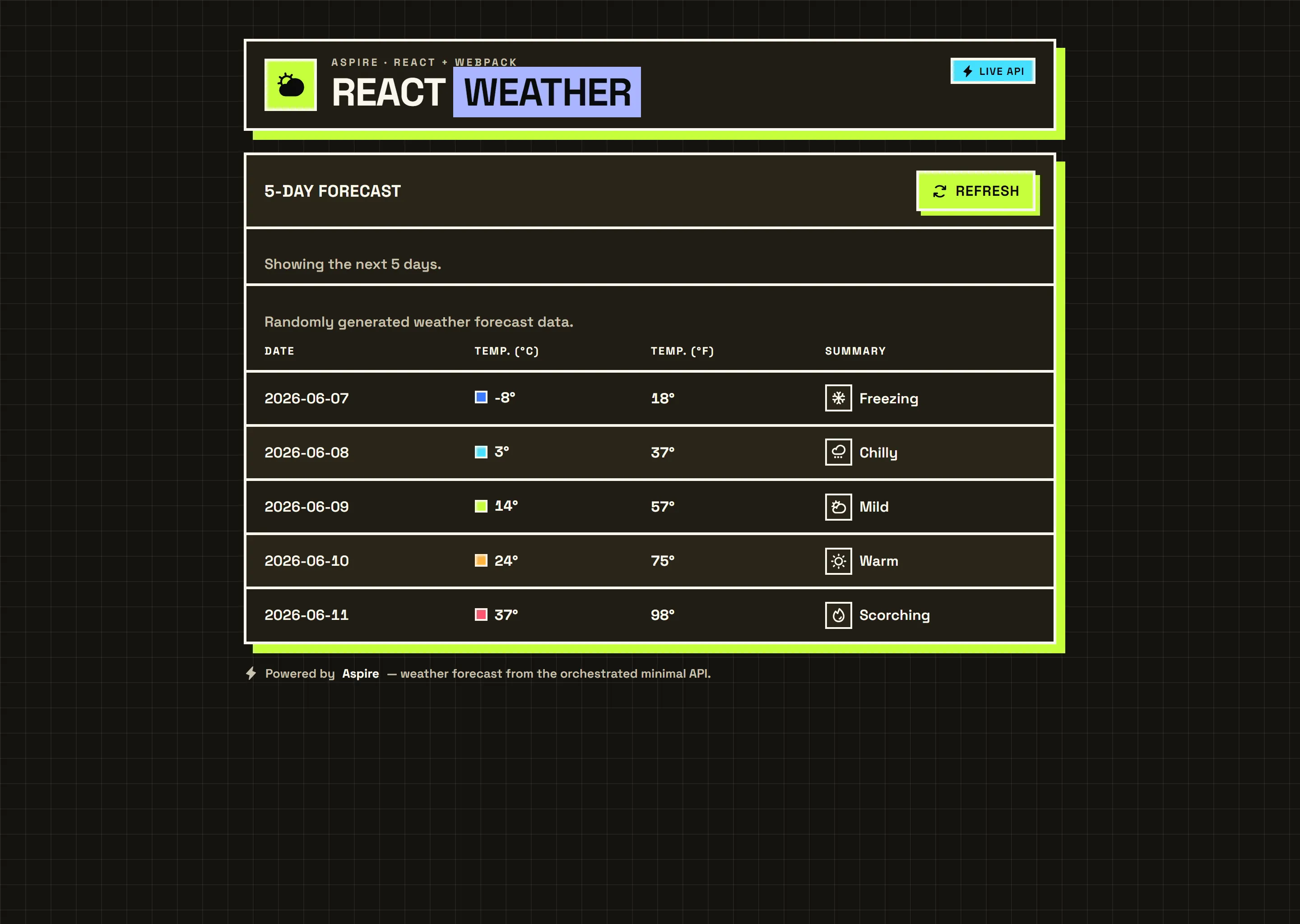
AspireJavaScript.React: A React app (Webpack) that consumes the weather forecast API and displays the forecast.
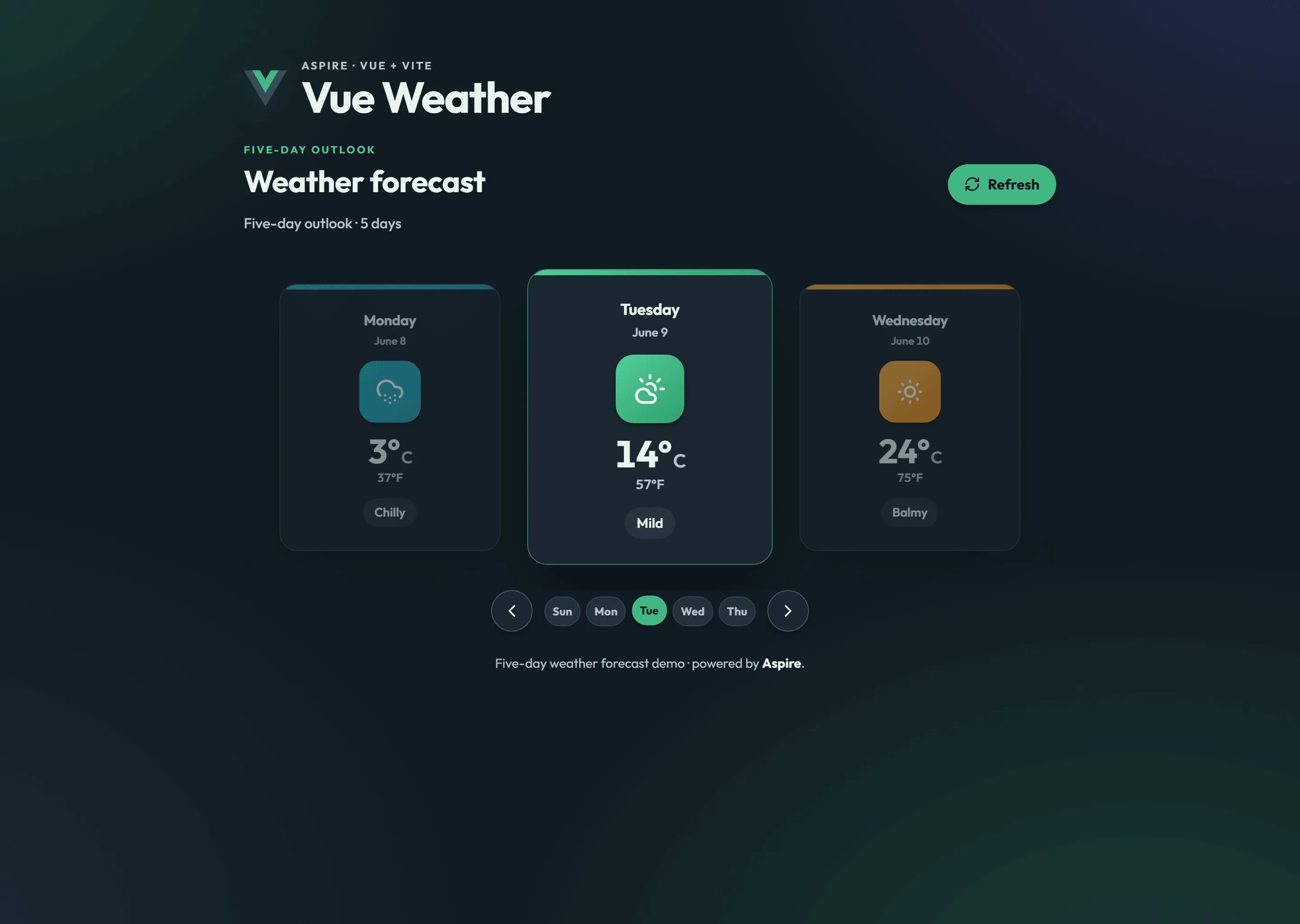
AspireJavaScript.Vue: A Vue app that consumes the weather forecast API and presents the forecast as a swipeable, keyboard-navigable day-by-day carousel.
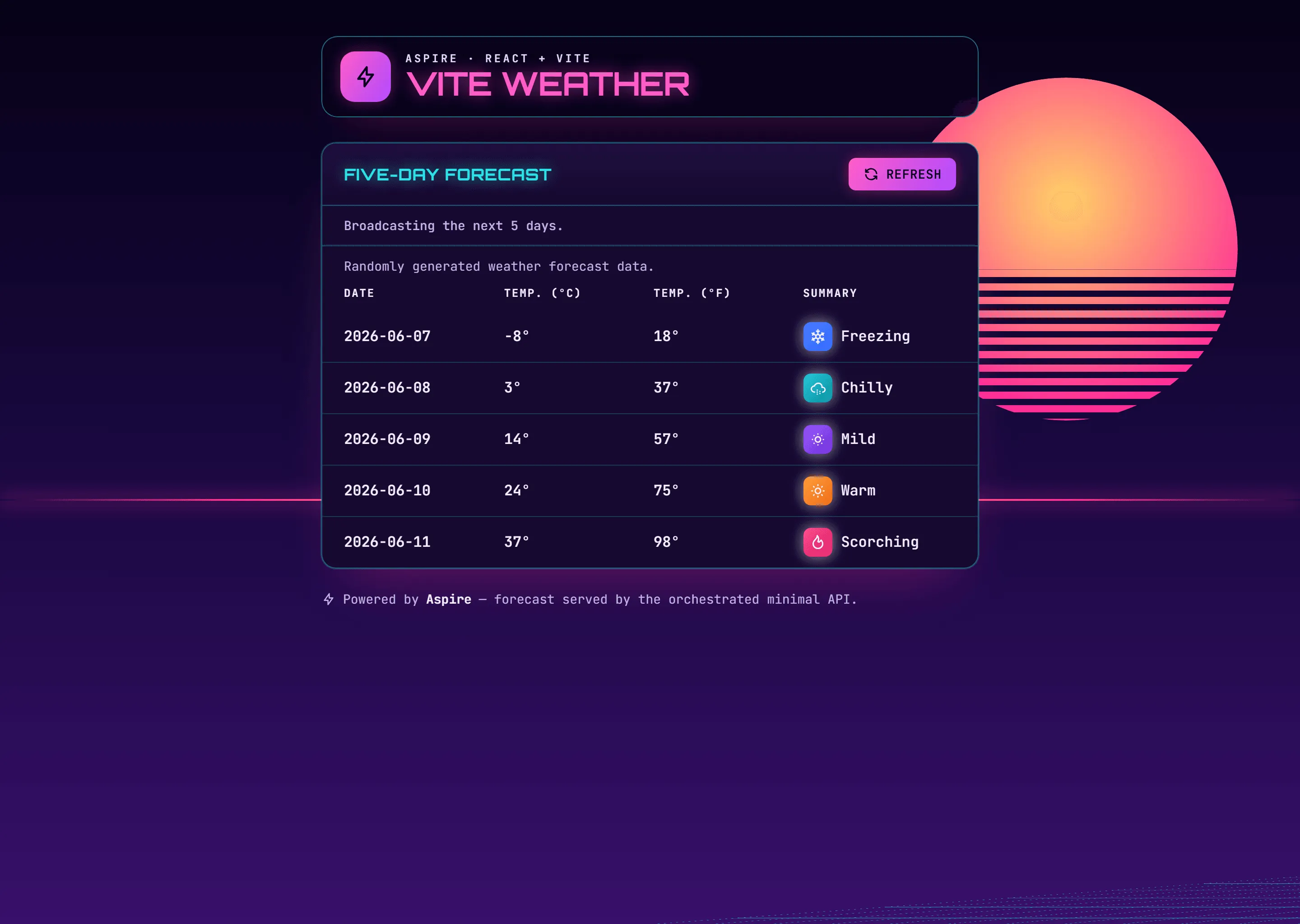
AspireJavaScript.Vite: A React + Vite + TypeScript app that consumes the weather forecast API and displays the forecast.
The four front ends all render the same weather data, but each one wears a completely different design identity — the point of the sample is to compare the frameworks side by side, so we lean into that contrast:
| Front end | Design identity | CSS approach | Icon set |
|---|---|---|---|
| Angular | Material 3 "expressive" — dynamic tonal color, elevated surfaces | Angular Material + SCSS | Material Symbols |
| React | Neo-brutalism — thick borders, hard offset shadows, chunky type | CSS Modules | Phosphor |
| Vue | Forecast carousel — soft cards, Vue-green gradients, day-by-day navigation | Scoped CSS + custom properties | Lucide |
| Vite | Retro synthwave — neon sun, 80s grid horizon | Tailwind CSS | Tabler |
Every front end is keyboard operable, ships a skip link, announces async state with aria-live, honors prefers-reduced-motion and prefers-color-scheme, and passes an automated axe-core accessibility scan in both light and dark themes.
Pre-requisites
Section titled Pre-requisitesNode.js - at least version 24.x
Running the app
Section titled Running the appIf using the Aspire CLI, run aspire run from this directory.
If using VS Code, open this directory as a workspace and launch the AspireJavaScript.AppHost project using either the Aspire or C# debuggers.
If using Visual Studio, open the solution file AspireJavaScript.slnx and launch/debug the AspireJavaScript.AppHost project.
If using the .NET CLI, run dotnet run from the AspireShop.AppHost directory.
Experiencing the app
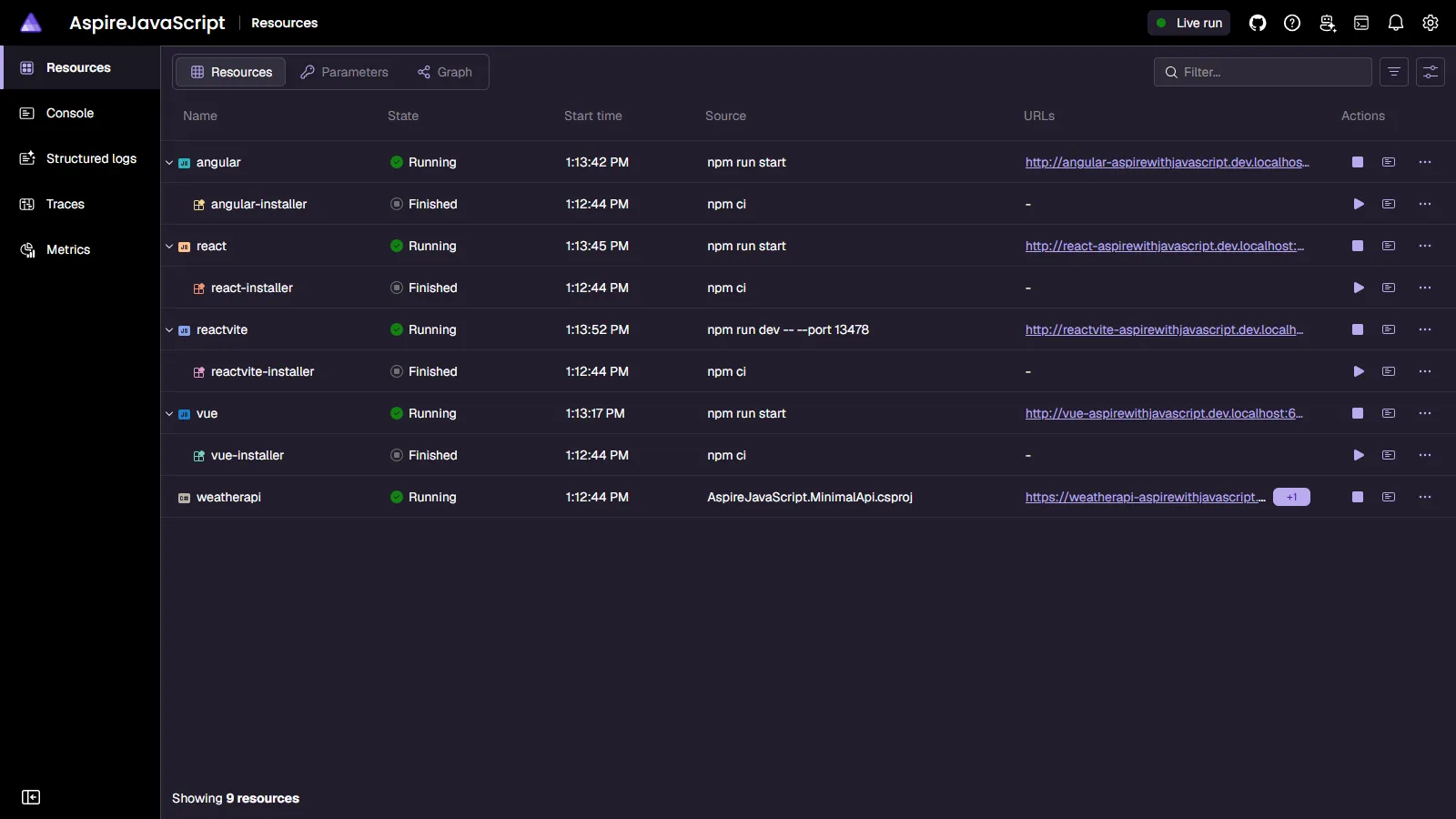
Section titled Experiencing the appOnce the app is running, the Aspire dashboard will launch in your browser:
From the dashboard, you can navigate to the Angular, React, Vue, and Vite apps.
Sample screenshots
Select an image to zoom in.
 Aspire