


Clone, run, and explore this sample
View telemetry from any app in the Aspire dashboard. The dashboard supports running standalone, and apps configured with an OpenTelemetry SDK can send it data.
This sample is a .NET console app that downloads data from NuGet. The app sends telemetry to the Aspire dashboard which is viewed in the dashboard telemetry UI.
Demonstrates
Section titled DemonstratesHow to run the Aspire dashboard from a Docker container
How to configure a .NET app to export telemetry to the dashboard
How to view telemetry in the Aspire dashboard
Sample prerequisites
Section titled Sample prerequisitesThis sample is written in C# and targets .NET 10.0. It requires the .NET 10.0 SDK or later.
This sample runs the Aspire dashboard from a Docker container. It requires Docker to be installed.
Start aspire dashboard
Section titled Start aspire dashboardThe following command starts the Aspire dashboard in a Docker container:
docker run --rm -it -p 18888:18888 -p 4317:18889 -d --name aspire-dashboard mcr.microsoft.com/aspire/nightly/dashboard:13.6The docker command:
Starts a container from the
mcr.microsoft.com/aspire/nightly/dashboard:13.6prerelease image.The container has two ports:
Port
4317receives OpenTelemetry data from apps. Apps send data using OpenTelemetry Protocol (OTLP).Port
18888has the dashboard UI. Navigate to http://localhost:18888 in the browser to view the dashboard.
Login to the aspire dashboard
Section titled Login to the aspire dashboardData displayed in the dashboard can be sensitive. By default, the dashboard is secured with authentication that requires a token to login.
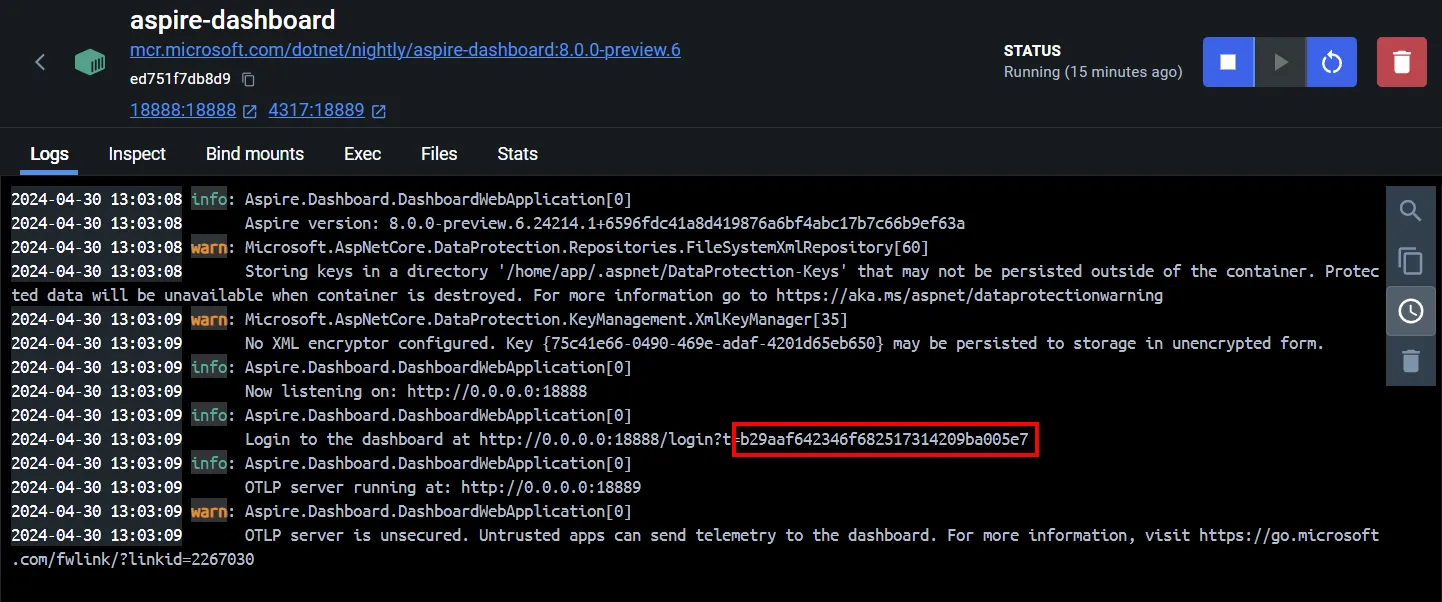
When the dashboard is run from a standalone container the login token is printed to the container logs. After copying the highlighted token into the login page, select the Login button.
For more information about logging into the dashboard, see Dashboard authentication.
Running the sample
Section titled Running the sampleTo download and run the sample, follow these steps:
Clone the
dotnet/aspire-samplesrepository.Navigate to the folder that holds the sample code.
At the command line, type
dotnet run ConsoleApp.cs.
Run the .NET app by executing the following at the command prompt (opened to the base directory of the sample):
dotnet run ConsoleApp.csThe console app launches, downloads information about the top NuGet packages and then exits.
View the Aspire dashboard at http://localhost:18888 to see app telemetry.
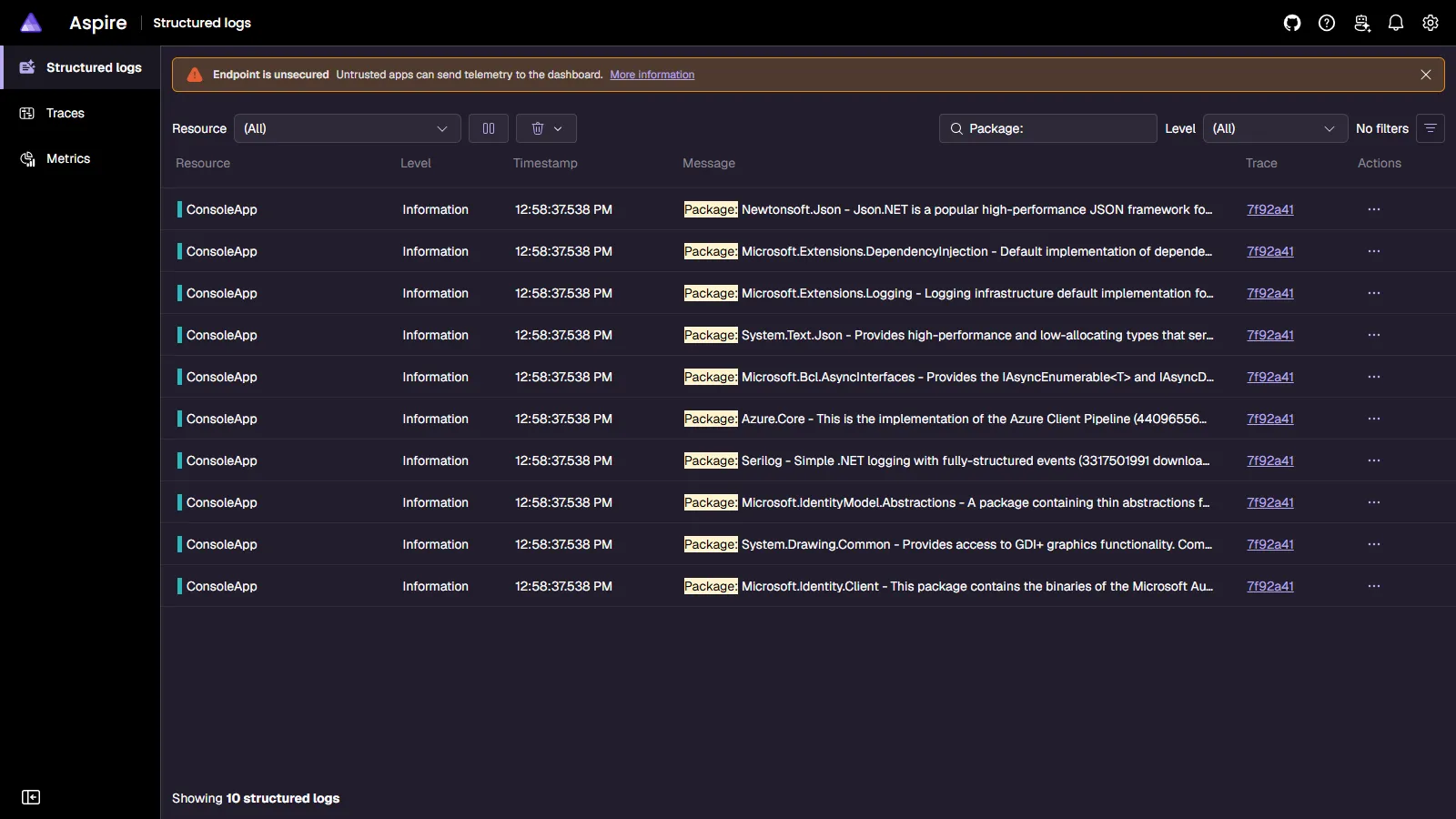
View structured logs to see the list of top NuGet packages.
View traces to see HTTP requests made.
View metrics to see numeric data about the app such as average HTTP request duration.
Configure OpenTelemetry
Section titled Configure OpenTelemetryThe telemetry export endpoint is configured with the OTEL_EXPORTER_OTLP_ENDPOINT setting. This value is set to http://localhost:4317 in the sample's ConsoleApp.run.json file. Removing the OTEL_EXPORTER_OTLP_ENDPOINT value disables exporting telemetry.
Sample screenshots
Select an image to zoom in.
 Aspire