


Clone, run, and explore this sample
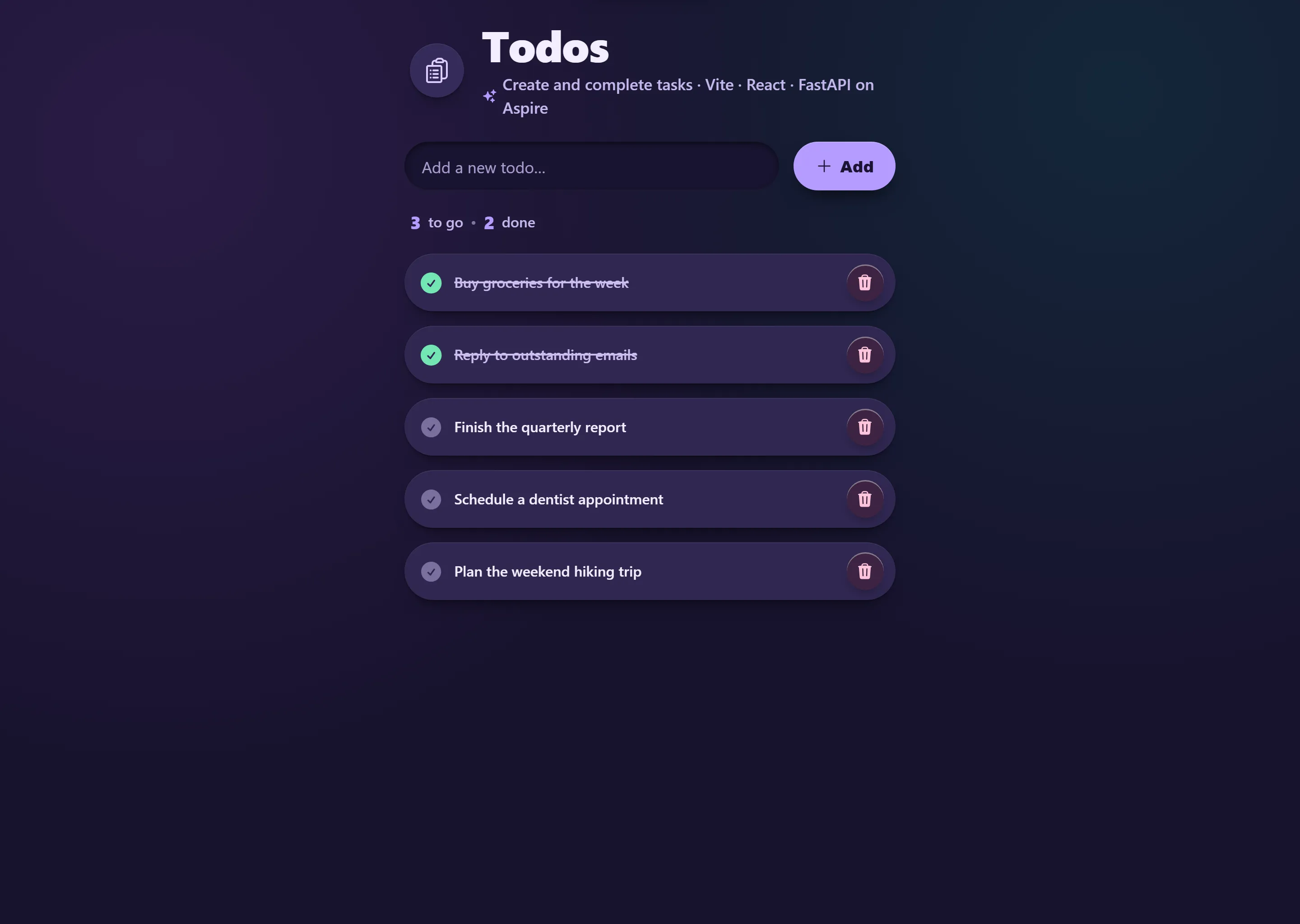
Todo app with React frontend and Python FastAPI backend using YARP for unified routing.
The entry point that composes every resource and dependency in this sample's distributed application.
import { createBuilder } from "./.aspire/modules/aspire.mjs";
const builder = await createBuilder();const executionContext = await builder.executionContext();
await builder.addDockerComposeEnvironment("dc");
const api = await builder.addUvicornApp("api", "./api", "main:app")    .withHttpHealthCheck({ path: "/health" });
const frontend = await builder.addViteApp("frontend", "./frontend")    .withReference(api);
await builder.addYarp("app")    .withConfiguration(async (yarp) =>    {        const apiCluster = await (await yarp.addClusterWithDestination("api", "https://api"))            .withHttpClientConfig({ dangerousAcceptAnyServerCertificate: true });        await (await yarp.addRoute("api/{**catch-all}", apiCluster))            .withTransformPathRemovePrefix("/api");
        if (await executionContext.isRunMode())        {            const frontendCluster = await yarp.addClusterFromResource(frontend);            await yarp.addRoute("{**catch-all}", frontendCluster);        }    })    .withReference(api)    .withExternalHttpEndpoints()    .publishWithStaticFiles(frontend)    .withExplicitStart();
await builder.build().run();
Todo app with React frontend and Python FastAPI backend using YARP for unified routing.
Architecture
Section titled ArchitectureRun Mode:
flowchart LR
    Browser --> YARP
    YARP -->|/api/*| FastAPI[FastAPI Backend]
    YARP --> Vite[Vite Dev Server<br/>HMR enabled]
Publish Mode:
flowchart LR
    Browser --> YARP[YARP serving<br/>Vite build output<br/>'npm run build']
    YARP -->|/api/*| FastAPI[FastAPI Backend]
What this demonstrates
Section titled What this demonstratesaddUvicornApp: Python FastAPI backend with uv package manager
addViteApp: React + TypeScript frontend with Vite
addYarp: Single endpoint with path-based routing
withTransformPathRemovePrefix: Strip
/apiprefix before forwardingpublishWithStaticFiles: Frontend embedded in YARP for publish mode
Dual-Mode Operation: Vite HMR in run mode, Vite build output in publish mode
Polyglot Fullstack: JavaScript + Python working together
Running
Section titled Runningaspire runCommands
Section titled Commandsaspire run # Run locallyaspire deploy # Deploy to Docker Composeaspire do docker-compose-down-dc # Teardown deploymentKey aspire patterns
Section titled Key aspire patternsYARP with Path Transform - Strip /api prefix before forwarding to FastAPI:
const api = await builder.addUvicornApp("api", "./api", "main:app")    .withHttpHealthCheck({ path: "/health" });
const frontend = await builder.addViteApp("frontend", "./frontend")    .withReference(api);
await builder.addYarp("app")    .withConfiguration(async (yarp) =>    {        const apiCluster = await yarp.addClusterFromResource(api);        await (await yarp.addRoute("api/{**catch-all}", apiCluster))            .withTransformPathRemovePrefix("/api");
        if (await executionContext.isRunMode.get())        {            const frontendCluster = await yarp.addClusterFromResource(frontend);            await yarp.addRoute("{**catch-all}", frontendCluster);        }    })    .publishWithStaticFiles(frontend);
Path Transform Example:
Client:
GET /api/todosYARP receives:
/api/todosTransform strips:
/apiFastAPI receives:
GET /todos
Security notes
Section titled Security notesThis sample intentionally keeps the FastAPI todo endpoints public and unauthenticated for instructional use. The /api/todos endpoints are demo endpoints, not a production API security model.
Todo data is stored in process memory and is lost when the API restarts. The API caps the in-memory list at 100 todos, limits todo titles to 200 characters, requires non-empty titles, and bounds list responses with
skipandlimitquery parameters.The sample does not include authentication, authorization, CSRF protection, or rate limiting.
For production, add an appropriate identity provider and authorization checks, persistent storage, CSRF protections if browser credentials are used, rate limiting/quotas, request logging/monitoring, and deployment-specific network protections.
Relevant references:
Sample screenshots
Select the image to zoom in.
 Aspire