


What's new in Aspire 13.5
Это содержимое пока не доступно на вашем языке.
Aspire 13.5 makes AppHosts more interactive with terminal sessions, an Interaction Service shared by C# and TypeScript, and user-defined resource command arguments. It also brings TypeScript AppHosts to general availability, adds HTTPS developer certificates and persistent Kubernetes volumes, and refreshes the CLI, dashboard, and Aspire extension for Visual Studio Code.
We’d love to hear what you think. Drop by Discord to chat with the team and the community, or file feedback and issues on GitHub.
This release introduces:
- More interactive AppHosts with terminal sessions, richer user interactions, command arguments, HTTPS certificates, and cross-scope Azure references.
- Generally available TypeScript AppHosts with custom health checks, container file copying, faster startup, and reliability fixes.
- A smoother toolchain across the Aspire CLI, dashboard, and Visual Studio Code extension, with easier installation, sharper telemetry filtering, debugging, discovery, and resource commands.
- Persistent storage for Kubernetes and AKS and more predictable Azure hosting.
- A preview Radius deployment target through the new
Aspire.Hosting.Radiuspackage, plus updates to Foundry Local, Redis modules, dev tunnels, and Blazor gateway publishing. - Updated project templates, including .NET 11 preview support.
- …and much more.
🆙 Upgrade to Aspire 13.5
Section titled “🆙 Upgrade to Aspire 13.5”If your Aspire CLI version is earlier than 13, first install the latest stable version.
For general purpose upgrade guidance, see Upgrade Aspire.
The easiest way to upgrade to Aspire 13.5 is using the aspire update command:
-
Update the Aspire CLI itself:
Aspire CLI — Update the CLI aspire update --self -
Update your projects (run from the root of your repository):
Aspire CLI — Update all Aspire packages aspire update
Or install the CLI from scratch. The Aspire CLI ships through the package managers you already use — added in the 13.4 timeframe and now the recommended way to get it — so pick whichever fits your environment:
brew install --cask microsoft/aspire/aspirenpm install -g @microsoft/aspire-clidotnet tool install -g Aspire.Cliwinget install Microsoft.Aspiremise use -g aspirenix profile add github:microsoft/aspire#aspire-cliPrefer the one-line install script? It still works everywhere:
curl -sSL https://aspire.dev/install.sh | bashirm https://aspire.dev/install.ps1 | iexFor every installation method, see Install the CLI.
🧩 App model and AppHost
Section titled “🧩 App model and AppHost”The AppHost is where 13.5 invests most heavily. These additions make local development more interactive and bring the C# and TypeScript app models closer to parity — from terminal sessions and richer user interactions to modeling more kinds of resources.
🖥️ Interactive terminal sessions with WithTerminal()
Section titled “🖥️ Interactive terminal sessions with WithTerminal()”AppHost authors can now call WithTerminalwithTerminal on a resource to enable an interactive terminal session. The dashboard can attach to and detach from the session at will, so you can drive REPLs, shells, and other terminal programs that run as Aspire resources — right from the dashboard’s terminal view. Terminal dimensions are configurable through TerminalOptions, which exposes Columns (default 120), Rows (default 30), and ShowTerminalHost.
import { createBuilder } from './.aspire/modules/aspire.mjs';
const builder = await createBuilder();
// Polyglot AppHosts expose a parameterless withTerminal(). Terminal dimensions// (TerminalOptions.Columns/Rows) can only be configured from C#.await builder.addContainer('db', 'postgres').withTerminal();
await builder.build().run();#pragma warning disable ASPIRETERMINAL001
var builder = DistributedApplication.CreateBuilder(args);
builder.AddContainer("db", "postgres") .WithTerminal(options => { options.Columns = 200; options.Rows = 50; });
builder.Build().Run();For details, see Interactive terminal sessions with WithTerminal().
💬 Interaction Service for C# and TypeScript AppHosts
Section titled “💬 Interaction Service for C# and TypeScript AppHosts”The Interaction Service and its related types now work the same way from C# and TypeScript AppHosts, including prompts, message boxes, notifications, and dynamic inputs. The core prompt and input APIs (PromptInputAsync, PromptInputsAsync, InteractionInput, InputType, and InteractionInputCollection) are now stable, so you no longer have to suppress ASPIREINTERACTION001 in production code.
The example below adds a resource command that prompts the user to choose a region, then acts on the selection.
import { createBuilder } from './.aspire/modules/aspire.mjs';import type { InteractionChoiceOption } from './.aspire/modules/aspire.mjs';
const builder = await createBuilder();
const api = await builder.addContainer('api', 'nginx');
await api.withCommand('configure-region', 'Configure region', async (ctx) => {  const interaction = await ctx.services().getInteractionService();
  if (!(await interaction.isAvailable())) {    return { success: true, message: 'No interactive dashboard.' };  }
  const regionInput = await interaction.createChoiceInput('region', {    choices: [      { value: 'us', label: 'United States' },      { value: 'eu', label: 'Europe' },    ] as InteractionChoiceOption[],  });
  const result = await interaction.promptInputs(    'Configure region',    'Choose the region to deploy to.',    [regionInput],    { primaryButtonText: 'Apply' }  );
  if (await result.canceled()) {    return { success: false, message: 'Canceled.' };  }
  const region = await result.inputs().value('region');  return { success: true, message: `region=${region ?? ''}` };});
await builder.build().run();using Aspire.Hosting.ApplicationModel;using Microsoft.Extensions.DependencyInjection;
var builder = DistributedApplication.CreateBuilder(args);
var api = builder.AddContainer("api", "nginx");
api.WithCommand("configure-region", "Configure region", async ctx =>{ var interaction = ctx.Services.GetRequiredService<IInteractionService>();
// Commands invoked from the CLI run with NonInteractive = true, where // PromptInputsAsync throws. Only prompt when a UI is attached. if (!interaction.IsAvailable) { return CommandResults.Success(); }
var result = await interaction.PromptInputsAsync( title: "Configure region", message: "Choose the region to deploy to.", inputs: [ new InteractionInput { Name = "region", Label = "Region", InputType = InputType.Choice, Options = [ new("us", "United States"), new("eu", "Europe"), ] } ], cancellationToken: ctx.CancellationToken);
if (result.Canceled) { return CommandResults.Canceled(); }
var region = result.Data["region"].Value; return CommandResults.Success();});
builder.Build().Run();For the full API surface and TypeScript examples, see Interaction service.
📤 File uploads and progress dialogs
Section titled “📤 File uploads and progress dialogs”The Interaction Service can now request a file upload. Add an InteractionInput with InputType.File, and the dashboard renders a file picker constrained by an optional FileFilter and MaxFileSize. C# AppHosts read the uploaded content through InteractionFile with ReadAllBytesAsync() or OpenRead(). TypeScript AppHosts receive an on-disk path in file.filePath to read with Node’s fs APIs. File input is stable, and long-running commands can show a progress dialog with PromptProgressAsync.
import { createBuilder } from './.aspire/modules/aspire.mjs';import { statSync } from 'node:fs';
const builder = await createBuilder();
const importer = await builder.addContainer('importer', 'nginx');
await importer.withCommand('import-data', 'Import data', async (ctx) => {  const interaction = await ctx.services().getInteractionService();
  // Commands invoked from the CLI run without an attached UI, where prompting  // throws. Only prompt when the interaction service is available.  if (!(await interaction.isAvailable())) {    return { success: true, message: 'No interactive dashboard.' };  }
  const fileInput = await interaction.createFileInput('dataFile', {    label: 'Data file',    fileFilter: '.json',    maxFileSize: 10 * 1024 * 1024, // 10 MB    required: true,  });
  const result = await interaction.promptInput(    'Import data',    'Select a JSON file to import.',    fileInput,    { primaryButtonText: 'Import' });
  if (result.canceled) {    return { success: false, message: 'Canceled.' };  }
  // Uploaded files are written to disk; read them through their filePath.  const file = result.input?.files?.[0];  if (!file?.filePath) {    return { success: false, message: 'No file was uploaded.' };  }
  const bytes = statSync(file.filePath).size;
  // The work callback runs while the progress dialog is shown; the dialog  // closes when the callback completes.  await interaction.promptProgress(`Processing ${bytes} bytes`, {    title: 'Importing...',    options: {      work: async () => {        await new Promise<void>((resolve) => setTimeout(resolve, 2000));      },    },  });
  return { success: true, message: 'Imported.' };});
await builder.build().run();#pragma warning disable ASPIREINTERACTION001
using Aspire.Hosting.ApplicationModel;using Microsoft.Extensions.DependencyInjection;
var builder = DistributedApplication.CreateBuilder(args);
var importer = builder.AddContainer("importer", "nginx");
importer.WithCommand("import-data", "Import data", async ctx =>{ var interaction = ctx.Services.GetRequiredService<IInteractionService>();
// Commands invoked from the CLI run with NonInteractive = true, where // PromptInputsAsync throws. Only prompt when a UI is attached. if (!interaction.IsAvailable) { return CommandResults.Success(); }
var result = await interaction.PromptInputsAsync( title: "Import data", message: "Select a JSON file to import.", inputs: [ new InteractionInput { Name = "dataFile", Label = "Data file", InputType = InputType.File, FileFilter = ".json", MaxFileSize = 10 * 1024 * 1024, // 10 MB Required = true } ], cancellationToken: ctx.CancellationToken);
if (result.Canceled) { return CommandResults.Canceled(); }
var file = result.Data["dataFile"].Files?[0]; if (file is null) { return CommandResults.Failure("No file was uploaded."); }
var bytes = await file.ReadAllBytesAsync(ctx.CancellationToken);
// Progress dialog is experimental (ASPIREINTERACTION001). Run the work in // ProgressInteractionOptions.Work so the dialog closes when the work // completes; without a Work callback it stays open until the token cancels. await interaction.PromptProgressAsync( message: $"Processing {bytes.Length} bytes", title: "Importing...", options: new ProgressInteractionOptions { Work = async progress => { // Long-running processing runs here while the dialog is shown. await Task.Delay(TimeSpan.FromSeconds(2), progress.CancellationToken); } }, cancellationToken: ctx.CancellationToken);
return CommandResults.Success();});
builder.Build().Run();For inputs, validation, and result handling, see Interaction service.
⚙️ Resource commands with user-defined arguments
Section titled “⚙️ Resource commands with user-defined arguments”Resource commands can now declare named arguments. The dashboard prompts for them before the command runs, while the CLI exposes each argument as a --<name> option and reports an error when a required option is missing. Populate CommandOptions.Arguments with InteractionInput descriptors, then read the values from ExecuteCommandContext.Arguments in the command callback. TypeScript AppHosts get the same capability through Aspire Type System (ATS) exports. The mechanism is stable and supports interactive deployment or setup workflows.
import { createBuilder, InputType } from './.aspire/modules/aspire.mjs';
const builder = await createBuilder();
await builder.addContainer('api', 'nginx').withCommand('echo', 'Echo', async (ctx) => {  const args = await ctx.arguments();  const message = await args.value('message');  // Use the collected argument...  return { success: true, message: `message=${message ?? ''}` };}, {  commandOptions: {    arguments: [      { name: 'message', inputType: InputType.Text, required: true },    ],  },});
await builder.build().run();using Aspire.Hosting.ApplicationModel;
var builder = DistributedApplication.CreateBuilder(args);
builder.AddContainer("api", "nginx") .WithCommand( name: "echo", displayName: "Echo", executeCommand: ctx => { var message = ctx.Arguments["message"].Value; // Use the collected argument... return Task.FromResult(CommandResults.Success()); }, commandOptions: new CommandOptions { Description = "Echo a message.", Arguments = [ new InteractionInput { Name = "message", Label = "Message", InputType = InputType.Text, Required = true } ] });
builder.Build().Run();For the full command API, see Custom resource commands.
🔐 HTTPS certificates for project resources
Section titled “🔐 HTTPS certificates for project resources”Project and executable resources can now be configured with HTTPS certificates directly from the AppHost. Use WithHttpsDeveloperCertificatewithHttpsDeveloperCertificate to inject the local ASP.NET Core developer certificate, WithHttpsCertificate(certificate, password) to supply an explicit X509Certificate2, or WithHttpsCertificateConfigurationwithHttpsCertificateConfiguration for full control. WithoutHttpsCertificatewithoutHttpsCertificate opts a resource out.
import { createBuilder } from './.aspire/modules/aspire.mjs';
const builder = await createBuilder();
await builder.addProject('api', './src/Api').withHttpsDeveloperCertificate();
await builder.build().run();#pragma warning disable ASPIRECERTIFICATES001
var builder = DistributedApplication.CreateBuilder(args);
builder.AddProject<Projects.Api>("api") .WithHttpsDeveloperCertificate();
builder.Build().Run();For certificate options and deployment considerations, see Certificate configuration.
☁️ Reference existing Azure resources across scopes
Section titled “☁️ Reference existing Azure resources across scopes”Aspire 13.5 makes it easier to point at Azure resources that live outside your app’s own resource group, subscription, or tenant. The AsExistingInResourceGroup(name, resourceGroup, subscription), AsExistingInSubscription(name, subscription), and AsExistingInTenant(name) methods — along with their RunAsExisting* and PublishAsExisting* variants — attach an existing-resource annotation so provisioning references the resource in the scope you specify. Each accepts either literal strings or ParameterResource values, so scope details can come from parameters and secrets.
import { createBuilder } from './.aspire/modules/aspire.mjs';
const builder = await createBuilder();
const name = await builder.addParameter('sb-name');const resourceGroup = await builder.addParameter('sb-rg');const subscription = await builder.addParameter('sb-sub');
await builder.addAzureServiceBus('sb')  .asExistingInResourceGroup(name, resourceGroup, subscription);
await builder.build().run();var builder = DistributedApplication.CreateBuilder(args);
var name = builder.AddParameter("sb-name");var resourceGroup = builder.AddParameter("sb-rg");var subscription = builder.AddParameter("sb-sub");
builder.AddAzureServiceBus("sb") .AsExistingInResourceGroup(name, resourceGroup, subscription);
builder.Build().Run();For run- versus publish-mode behavior, see Use existing Azure resources.
🟦 TypeScript AppHost improvements
Section titled “🟦 TypeScript AppHost improvements”TypeScript (and polyglot) AppHost support is now generally available in 13.5 — the ASPIREATS001 experimental diagnostic is gone, so you no longer suppress anything to author an AppHost in TypeScript. With GA in place, this release closes several remaining gaps with C#.
💚 Custom health checks
Section titled “💚 Custom health checks”TypeScript AppHosts can now register custom health check callbacks with builder.addHealthCheck(name, check) and attach them (or the built-in checks) to a resource with resource.withHealthCheck(key). The callback returns a HealthCheckResult with a status, optional description, and optional data. Project resources also gain withEndpointsInEnvironment(endpointNames) to control which endpoints are injected into environment variables. This brings TypeScript to parity with C#, where custom checks are registered through AddHealthChecks().AddCheck(...) and attached with the same WithHealthCheck(key) method.
import { createBuilder, HealthStatus } from './.aspire/modules/aspire.mjs';import type { HealthCheckResult } from './.aspire/modules/aspire.mjs';
const builder = await createBuilder();
const myCheck = async (): Promise<HealthCheckResult> => ({  status: HealthStatus.Healthy,  description: 'All systems nominal',  data: { version: '1.0' },});await builder.addHealthCheck('my_check', myCheck);
await builder.addRedis('cache').withHealthCheck('my_check');
await builder.build().run();
For the TypeScript AppHost model, see TypeScript AppHost, and for health checks in general, see Health checks.
🐳 Container file copying
Section titled “🐳 Container file copying”TypeScript AppHosts can now copy host files into container resources, reaching parity with C#. Use withContainerFiles(destinationPath, sourcePath, options) to copy a directory, or withContainerFilesCallback(destinationPath, callback, options) to generate files dynamically at build time. Ownership and permissions are controlled through ContainerFilesOptions (defaultOwner, defaultGroup, umask). C# exposes the same capability through the WithContainerFiles(...) overloads, which accept either a source directory or a build-time callback.
import { createBuilder } from './.aspire/modules/aspire.mjs';
const builder = await createBuilder();
await builder.addContainer('myapp', 'nginx')  .withContainerFiles('/usr/share/nginx/html', './wwwroot', {    defaultOwner: 101, // nginx user UID    defaultGroup: 101,    umask: 0o022,  })  .withContainerFilesCallback('/etc/nginx/conf.d', async (ctx) => {    const conf = await ctx.createFile('default.conf', {      contents: 'server { listen 80; }',      mode: 0o644,    });    return [conf];  });
await builder.build().run();
For the full callback surface, see Container files.
⚡ Faster startup and reliability fixes
Section titled “⚡ Faster startup and reliability fixes”TypeScript AppHost startup no longer waits a fixed delay before the CLI attempts to connect; the CLI now races the RPC connection retry loop against process exit, reducing the time from aspire run to an active AppHost. This release also fixes several reliability issues:
- A deadlock where async callbacks stored in
IOptions.Configurewere invoked duringBeforeStartEvent. - A startup reliability issue with
WithBrowserLogswithBrowserLogswhere tracked browser sessions could fail even when the browser eventually became responsive; the CDP startup timeout has been increased. - Failures when proxyless container endpoint references were accessed before the container was created.
aspire runfailing for polyglot AppHosts that use*.dev.localhostresource service URLs.
🖥️ Aspire CLI
Section titled “🖥️ Aspire CLI”The CLI is central to the Aspire developer experience, and 13.5 makes it easier to install, keep current, and reason about how it runs.
📦 Install via npm and Nix
Section titled “📦 Install via npm and Nix”The Aspire CLI is now available as an npm package (@microsoft/aspire-cli), and on Nix via the flake (nix profile add github:microsoft/aspire#aspire-cli). The update command and update notifier detect npm-installed versions and print the matching npm command instead of overwriting the managed binary. When the CLI can’t fetch the Aspire skills bundle from GitHub release assets, it falls back to an embedded bundle and shows a non-fatal warning instead of failing the command.
For every installation method, see Install the CLI.
🎯 CLI bundle by default
Section titled “🎯 CLI bundle by default”The CLI bundle is a copy of the Aspire CLI that an AppHost can resolve for itself, so dotnet run and aspire run behave identically and everyone on the team — and CI — uses a consistent CLI version without a separate global install. In 13.5, new C# AppHosts created from the templates opt in automatically by setting AspireUseCliBundle=true, so the bundle is resolved out of the box.
Here’s what that means in practice:
- Nothing manual for new projects. When the bundle is enabled and the CLI is 13.5.0 or later,
dotnet runacquires the bundle on the fly throughdnxand delegates toaspire run. It’s a change in behavior from earlier releases, but not one you have to configure. - Existing projects are unaffected unless they opt in. The SDK-level default remains opt-in (
false); setAspireUseCliBundle=truein your AppHost to adopt it, or pin the CLI through a local tool manifest for reproduciblednxinvocation. - The state is always explicit. Diagnostics tell you exactly what’s happening rather than failing silently:
ASPIRE009(error) when the bundle can’t be resolved,ASPIRE010(warning) when a project opts out, andASPIRE011whendnxisn’t available. You can force the DNX invocation path withAspireCliInvocationMode=Dnx.
🛠️ Command improvements
Section titled “🛠️ Command improvements”aspire stop --forceperforms a normal stop and then cleans up the AppHost’s persistent resources, permanently deleting their data without an additional confirmation prompt.aspire update --migratemigrates legacy TypeScript AppHost entry points (apphost.ts→apphost.mts).aspire doctorreports operating-system details (including Linux distro info from/etc/os-release), detects Visual Studio Code, and adds DCP health checks. JSON output includes a structuredoperating-systemcheck for tooling.aspire docs searchreturns more relevant results.- Stale AppHost backchannel sockets are pruned automatically so they no longer block commands like
aspire add, and Ctrl+C/SIGTERM handling is more responsive during startup.
See the reference for aspire stop, aspire update, and aspire doctor.
📊 Dashboard
Section titled “📊 Dashboard”The dashboard is often the first thing you see when you run an Aspire app, and 13.5 gives it a substantial refresh — official branding, sharper telemetry filtering, and a built-in terminal view.
🎨 Refreshed, officially branded UI
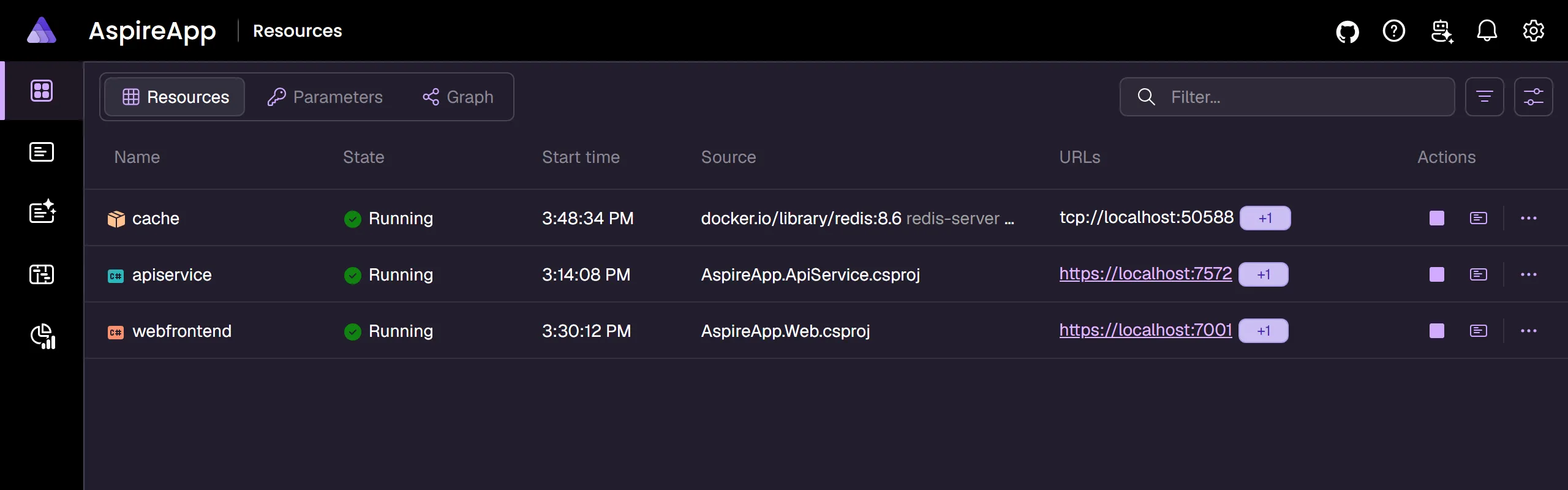
Section titled “🎨 Refreshed, officially branded UI”The dashboard adopts official Aspire branding and a refreshed visual design built on a new design-token system, with accessibility improvements across the UI.
🔎 Sharper telemetry filtering
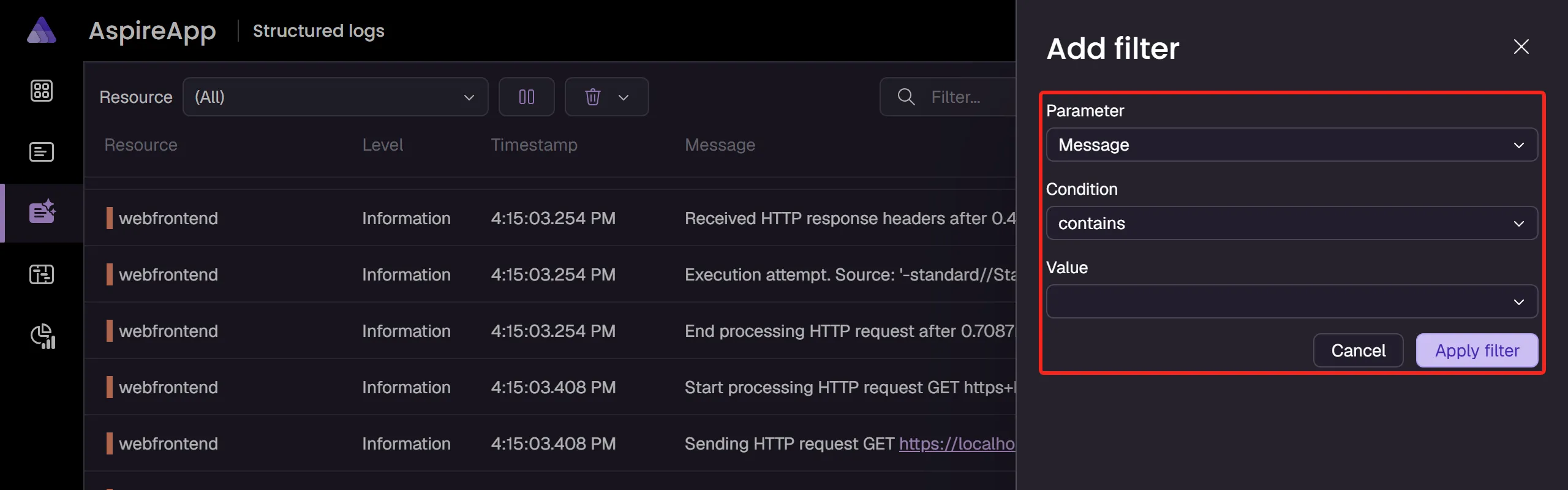
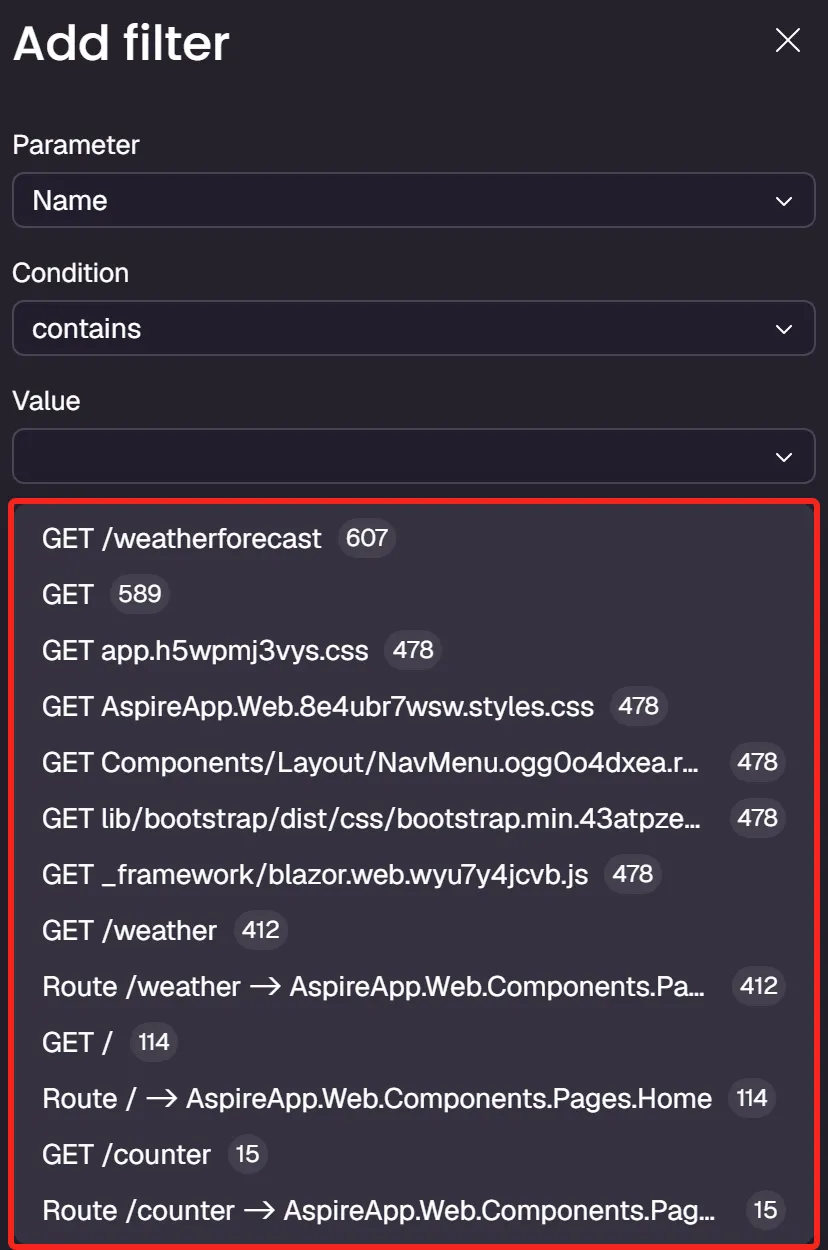
Section titled “🔎 Sharper telemetry filtering”- Filter logs and traces by timestamp with a dedicated search qualifier.
- Match exact numeric values with the new
==and!=operators. - Filter console-log output by text.
- See a clearer reconnect dialog when the dashboard loses its AppHost connection.
🖥️ Terminal view
Section titled “🖥️ Terminal view”Running resources configured with WithTerminal() open in a terminal view in the dashboard by default, so you can interact with the live session immediately. Resources that are waiting, starting, exited, or failed fall back to the console-logs view until they reach the running state.
The dashboard’s AI Assistant chat has been removed in Aspire 13.5.
Additional dashboard fixes include friendlier health-check error messages (in place of raw exception stacks), deduplicated replica display names, and correct telemetry streaming when resource filters are applied.
🧰 Visual Studio Code extension
Section titled “🧰 Visual Studio Code extension”The Aspire extension for Visual Studio Code is rebranded to Aspire (with an updated icon and display name) and gains a batch of new capabilities:
- Open the dashboard in a side panel instead of an external browser.
- Debug Bun through the WebKit Inspector Protocol and debug MAUI projects.
- Run Start, Stop, and custom resource commands from the tree view.
- Work with idle AppHosts discovered in the workspace through context-menu actions, including
launchUrlfromlaunchSettings.json. - See consistent secret masking, missing-value warnings, and parameter truncation across panels.
- Respect workspace exclusions, debounce file changes during discovery, and pass terminal commands as structured shell arguments to prevent command injection.
- Use a richer extension API surface for C# Dev Kit integration.
For setup and usage, see Aspire Visual Studio Code extension.
🚀 Deployment
Section titled “🚀 Deployment”Getting from local development to a deployed environment keeps getting smoother. This release adds first-class Kubernetes and AKS storage, plus more predictable Azure Container Apps naming and networking.
📦 Persistent volumes for Kubernetes and AKS
Section titled “📦 Persistent volumes for Kubernetes and AKS”You can now model Kubernetes PersistentVolumeClaims as first-class resources. Call AddPersistentVolume(name) on a Kubernetes environment, configure it with WithStorageClasswithStorageClass, WithCapacitywithCapacity, and WithAccessModewithAccessMode, and bind it to a workload with WithPersistentVolumewithKubernetesPersistentVolume. Any workload bound to a persistent volume is rendered as a StatefulSet rather than a Deployment. The same AddPersistentVolumeaddPersistentVolume API is available on the AKS environment via Aspire.Hosting.Azure.Kubernetes.
import { createBuilder, PersistentVolumeAccessMode } from './.aspire/modules/aspire.mjs';
const builder = await createBuilder();
const k8s = await builder.addKubernetesEnvironment('k8s');
const data = await k8s.addPersistentVolume('data')  .withStorageClass('managed-csi')  .withCapacity('20Gi')  .withAccessMode(PersistentVolumeAccessMode.ReadWriteOnce);
// The polyglot withVolume() reorders parameters to (target, name?), so the// mount path comes first. withKubernetesPersistentVolume() then binds by name.await builder.addContainer('postgres', 'postgres:16')  .withVolume('/var/lib/postgresql/data', 'data')  .withKubernetesPersistentVolume(data);
await builder.build().run();#pragma warning disable ASPIRECOMPUTE002
using Aspire.Hosting.Kubernetes;
var builder = DistributedApplication.CreateBuilder(args);
var k8s = builder.AddKubernetesEnvironment("k8s");
var data = k8s.AddPersistentVolume("data") .WithStorageClass("managed-csi") .WithCapacity("20Gi") .WithAccessMode(PersistentVolumeAccessMode.ReadWriteOnce);
builder.AddContainer("postgres", "postgres:16") .WithVolume("data", "/var/lib/postgresql/data") .WithPersistentVolume(data);
builder.Build().Run();For details, see Persistent volumes and Deploy to AKS.
🏷️ Unique resource naming for Azure Container Apps
Section titled “🏷️ Unique resource naming for Azure Container Apps”Azure Container Apps environments can opt into deterministic, collision-resistant resource names with WithUniqueResourceNamingwithUniqueResourceNaming, which is useful when you deploy more than one environment into the same resource group. Names incorporate a uniqueString(resourceGroup().id) suffix while preserving each environment’s digits, so cae1 and cae2 stay distinct.
import { createBuilder } from './.aspire/modules/aspire.mjs';
const builder = await createBuilder();
await builder.addAzureContainerAppEnvironment('acaenv')  .withUniqueResourceNaming();
await builder.build().run();#pragma warning disable ASPIREACANAMING002
var builder = DistributedApplication.CreateBuilder(args);
builder.AddAzureContainerAppEnvironment("acaenv") .WithUniqueResourceNaming();
builder.Build().Run();For more configuration options, see Configure Azure Container Apps environments.
🔗 Virtual network integration for Azure environments
Section titled “🔗 Virtual network integration for Azure environments”Azure Container Apps and Azure App Service environments can now be placed into a delegated subnet. Declare a subnet with WithServiceDelegation(serviceName), then attach it to an environment with WithDelegatedSubnet(subnet). The virtual-network builder APIs live in Aspire.Hosting.Azure.Network and emit the ASPIREAZURE003 experimental diagnostic.
For App Service hosting, see Azure App Service hosting integration.
✨ New integrations
Section titled “✨ New integrations”Aspire 13.5 adds a preview Radius deployment target through the new Aspire.Hosting.Radius package. Use AddRadiusEnvironment(name) with WithNamespacewithNamespace to publish your app to a Radius environment. Publish-time infrastructure configuration (ConfigureRadiusInfrastructure) and project container-image overrides are gated behind experimental diagnostics.
📦 Integration updates
Section titled “📦 Integration updates”Existing integrations pick up new capabilities:
- Foundry Local.
AddFoundry(name).RunAsFoundryLocal()now drives the installed foundry CLI for lifecycle management, and resources can be exposed as hosted agents withAsHostedAgentasHostedAgent, whereHostedAgentProtocolisResponsesorInvocations. - Redis modules.
AddRedis(...).WithModule(path)loads a Redis module into the container, withRedisModulesconstants (Json,Search,BloomFilter,TimeSeries) pointing at the modules shipped in Redis 8+ images — see the sample below. - Dev tunnels regions.
DevTunnelOptions.Region(aDevTunnelRegion?enum) lets you pin the region a tunnel is created in. - Blazor gateway on Docker Compose. Blazor gateway resources now support Docker Compose publishing.
import { createBuilder, RedisModules } from './.aspire/modules/aspire.mjs';
const builder = await createBuilder();
await builder.addRedis('cache')  .withModule(RedisModules.Json)  .withModule(RedisModules.Search);
await builder.build().run();var builder = DistributedApplication.CreateBuilder(args);
builder.AddRedis("cache") .WithModule(RedisModules.Json) .WithModule(RedisModules.Search);
builder.Build().Run();For Redis hosting, see Redis hosting integration; for tunnels, see Dev tunnels; for Foundry, see Azure AI Foundry.
🏗️ Templates
Section titled “🏗️ Templates”New project templates target .NET 11 preview in addition to the current LTS, and C# AppHost templates set AspireUseCliBundle=true by default so freshly scaffolded projects resolve the CLI bundle out of the box.
⚠️ Breaking changes
Section titled “⚠️ Breaking changes”The following breaking changes are included in Aspire 13.5:
-
ServiceProviderrenamed toServices. TheServiceProviderproperty on hosting context types is nowServices. Update your code to use the new property name. -
PublishAsConnectionStringpublishAsConnectionStringmarked obsolete. Switch toAddConnectionStringaddConnectionStringin publish-mode app model code. -
aspire ps --resourcesand--include-hiddenremoved.aspire psnow focuses on AppHost-level summaries; useaspire describefor detailed resource data. (--include-hiddenremains on theaspire resourcesubcommand.) -
GitHub Models integration deprecated. GitHub Models is no longer available to new customers, so
Aspire.Hosting.GitHub.Modelsis deprecated. Its public APIs are marked[Obsolete]and the package no longer appears inaspire addoutput; it will be removed in a future release. Migrate to the Azure AI Foundry integration. -
Proxyless endpoint port allocation timing changed. Proxyless endpoints without an explicit public
portnow receive one during service preparation, before workload resources are created. The default allocation range is10000-32767and can be overridden withASPIRE_PROXYLESS_ENDPOINT_PORT_RANGE=start-end. -
Go polyglot: a single optional
optionsDTO is now passed directly. When an exported API has exactly one optionaloptionsDTO parameter, the Go code generator now passes the DTO type directly instead of wrapping it in a generated method-options struct. Go AppHosts that used the wrapper form must update their call sites after regenerating the SDK. -
TerminalOptions.Shellremoved;Columns/Rowsvalidated.TerminalOptionsno longer has aShellproperty, andColumns/Rowsnow throwArgumentOutOfRangeExceptionwhen set to zero or a negative value. The internal terminal implementation types are gated behind theASPIRETERMINAL001experimental diagnostic. -
DevTunnelRegionenum values normalized. Region enum names were normalized — for example,UKSouth(notUkSouth) andSoutheastAsia(notSouthEastAsia). Update any code that referenced the old spellings. -
Dashboard AI Assistant removed. The AI Assistant chat UI has been removed from the dashboard.
-
VS Code dashboard auto-launch removed. The extension no longer opens the dashboard automatically; opt in with the
dashboardBrowsersetting orlaunch.jsonvalue. -
Orleans provider annotation is internal.
OrleansProviderTypeAnnotationandProviderConfigurationare now internal. -
DotnetProjectResourcemoved toAspire.Hosting.Dotnetand made experimental. It now lives in theAspire.Hosting.Dotnetnamespace and emits theASPIREDOTNETPROJECT001diagnostic. The relatedAddDotnetProjectaddDotnetProjectAPI for modeling .NET projects by path is covered by the same diagnostic.
🚧 Known issues
Section titled “🚧 Known issues”Mixed Aspire 13.4 and 13.5 packages can fail at runtime
Section titled “Mixed Aspire 13.4 and 13.5 packages can fail at runtime”Aspire 13.5 SDK and core packages aren’t binary-compatible with some Aspire 13.4.6 hosting integration packages. An AppHost that mixes the 13.4 and 13.5 package families can fail at startup with a MissingMethodException or a TypeLoadException (sometimes surfaced as multiple TypeLoadExceptions).
Affected mixed-version scenarios include:
Aspire.Hosting.KubernetesandAspire.Hosting.Azure.Kubernetes:MissingMethodExceptioninvolvingProjectResource.get_DefaultHttpsEndpoint.Aspire.Hosting.Azure.Functions:MissingMethodExceptioninvolvingWithDebugSupport.Aspire.Hosting.Go,Aspire.Hosting.JavaScript, andAspire.Hosting.Python:TypeLoadExceptioninvolvingExecutableLaunchConfiguration.
Don’t mix Aspire 13.4 and 13.5 packages. Either stay wholly on the Aspire 13.4 SDK and integration packages, or upgrade the SDK and every Aspire.Hosting.* integration package together to the matching 13.5 series. Stable packages use version 13.5.0; preview integrations use the corresponding version from the 13.5.0-preview.* series.
If you discover an issue, please report it on GitHub.
🙏 Community
Section titled “🙏 Community”Aspire is built in the open, and this release wouldn’t be what it is without you. A huge thank you to everyone who helped make Aspire 13.5 possible.
The Aspire core team is
 Adam Ratzman
 Ankit Jain
 Damian Edwards
 David Fowler
 David Negstad
 David Pine
 Ella Hathaway
 Eric Erhardt
 James Newton-King
 José Pérez
 Karol Zadora-Przylecki
 Maddy Montaquila
 Mitch Denny
 Sébastien Ros
Special thanks to everyone whose pull requests shipped in Aspire 13.5, including:
@0xharkirat, @afscrome, @air-hand, @alirezafzali, @AndriySvyryd, @aradalvand, @Arasz, @bart-vmware, @eso-cyber, @Falco20019, @flensrocker, @guanzhousongmicrosoft, @heintz06, @inlineHamed, @Jah-yee, @javiercn, @jeffhandley, @jfversluis, @kola-tm, @krubenok, @LittleLittleCloud, @martincostello, @mcumming, @mehara-rothila, @mturac, @nanookclaw, @ndhansen, @nellshamrell, @neoGeneva, @richlander, @shauryalowkeygotaura, @shivamgoel008, @sliekens, @tommasodotNET, and @vivekjm
We're always excited to see community contributions! If you'd like to get involved, check out our contributing guide.
 Aspire