


Set up Azure Cosmos DB in the AppHost (EF Core)

This article is the AppHost reference for the Azure Cosmos DB hosting integration as used with the EF Core client integration. It enumerates the AppHost APIs that you use to model Cosmos DB account, database, and container resources in your AppHost project.
If you’re new to the EF Core Azure Cosmos DB integration, start with the Get started with the EF Core Azure Cosmos DB integrations guide. For how C# consuming apps register a DbContext from the resources this page exposes, see Connect to Azure Cosmos DB with EF Core.
Installation
Section titled “Installation”To start building an Aspire app that uses Azure Cosmos DB, install the 📦 Aspire.Hosting.Azure.CosmosDB NuGet package in your AppHost project:
aspire add cosmosdbLearn more about aspire add in the command reference.
This updates your aspire.config.json with the Azure Cosmos DB hosting integration package:
{ "packages": { "Aspire.Hosting.Azure.CosmosDB": "13.6.0" }}aspire add cosmosdbLearn more about aspire add in the command reference.
Or, choose a manual installation approach:
#:package Aspire.Hosting.Azure.CosmosDB@*<PackageReference Include="Aspire.Hosting.Azure.CosmosDB" Version="*" />Add Azure Cosmos DB resource
Section titled “Add Azure Cosmos DB resource”In your AppHost project, call AddAzureCosmosDB to add and return an Azure Cosmos DB resource builder:
import { createBuilder } from './.aspire/modules/aspire.mjs';
const builder = await createBuilder();
const cosmos = await builder.addAzureCosmosDb("cosmos-db");
// After adding all resources, run the app...var builder = DistributedApplication.CreateBuilder(args);
var cosmos = builder.AddAzureCosmosDB("cosmos-db");
// After adding all resources, run the app...Add Azure Cosmos DB database and container resources
Section titled “Add Azure Cosmos DB database and container resources”Aspire models parent-child relationships between Azure Cosmos DB resources. For example, a Cosmos DB account can have multiple databases, and each database can have multiple containers.
import { createBuilder } from './.aspire/modules/aspire.mjs';
const builder = await createBuilder();
const cosmos = await builder.addAzureCosmosDb("cosmos-db");const db = await cosmos.addCosmosDatabase("db");const container = await db.addContainer("entries", "/id");
await builder.addProject("apiservice", { projectPath: "../ExampleProject/ExampleProject.csproj" })    .waitFor(container)    .withReference(container);
// After adding all resources, run the app...var builder = DistributedApplication.CreateBuilder(args);
var cosmos = builder.AddAzureCosmosDB("cosmos-db");var db = cosmos.AddCosmosDatabase("db");var container = db.AddContainer("entries", "/id");
builder.AddProject<Projects.ExampleProject>("apiservice") .WaitFor(container) .WithReference(container);
// After adding all resources, run the app...The following diagram illustrates the parent-child relationship between the Azure Cosmos DB resources:
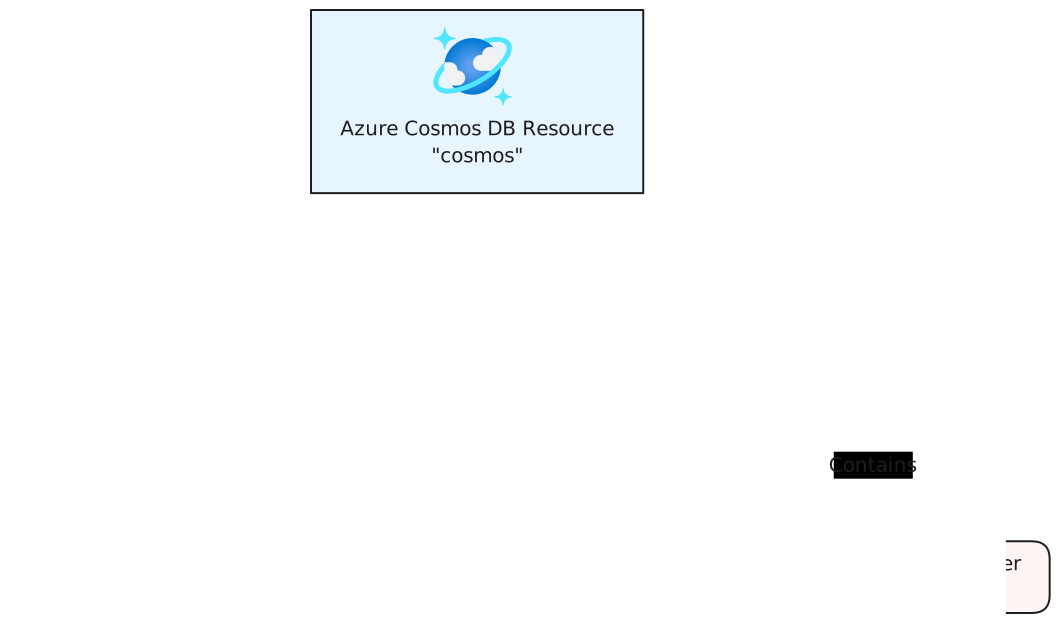
For more information, see Databases, containers, and items in Azure Cosmos DB.
Add Azure Cosmos DB emulator resource
Section titled “Add Azure Cosmos DB emulator resource”To run locally without an Azure subscription, chain a call to RunAsEmulatorrunAsEmulator on the Cosmos DB resource builder:
import { createBuilder } from './.aspire/modules/aspire.mjs';
const builder = await createBuilder();
const cosmos = await builder.addAzureCosmosDb("cosmos-db");await cosmos.runAsEmulator();
// After adding all resources, run the app...var builder = DistributedApplication.CreateBuilder(args);
var cosmos = builder.AddAzureCosmosDB("cosmos-db") .RunAsEmulator();
// After adding all resources, run the app...When you call RunAsEmulator, it configures your Cosmos DB resources to run locally using the Azure Cosmos DB Emulator container (mcr.microsoft.com/cosmosdb/linux/azure-cosmos-emulator).
For the full emulator configuration reference — gateway port, data volumes, partition count, and the Linux-based preview emulator — see Azure Cosmos DB Hosting integration.
Connect to an existing Azure Cosmos DB account
Section titled “Connect to an existing Azure Cosmos DB account”You might have an existing Azure Cosmos DB account that you want to connect to. Chain a call to AsExistingasExisting to annotate that your resource is an existing resource:
var builder = DistributedApplication.CreateBuilder(args);
var existingCosmosName = builder.AddParameter("existingCosmosName");var existingCosmosResourceGroup = builder.AddParameter("existingCosmosResourceGroup");
var cosmosdb = builder.AddAzureCosmosDB("cosmos-db")    .AsExisting(existingCosmosName, existingCosmosResourceGroup);
builder.AddProject<Projects.ExampleProject>()    .WithReference(cosmosdb);
// After adding all resources, run the app...
For more information on treating Azure Cosmos DB resources as existing resources, see Use existing Azure resources.
Provisioning-generated Bicep
Section titled “Provisioning-generated Bicep”When you publish your app, Aspire generates Bicep for the Cosmos DB account alongside the manifest file. For the full generated Bicep and infrastructure customization reference (including ConfigureInfrastructureconfigureInfrastructure), see Azure Cosmos DB Hosting integration.
Hosting integration health checks
Section titled “Hosting integration health checks”The Azure Cosmos DB hosting integration automatically adds a health check for the Cosmos DB resource. The health check verifies that the Cosmos DB is running and that a connection can be established to it.
The hosting integration relies on the 📦 AspNetCore.HealthChecks.CosmosDb NuGet package.
 Aspire